KASSIO Gastro
A restaurant POS that connects the dining room, kitchen and reports
From the first order at the table to the end-of-day close: KASSIO Gastro keeps orders, kitchen, staff and numbers in one place.
The consultation is free. We'll discuss cost and setup in the chat.

71
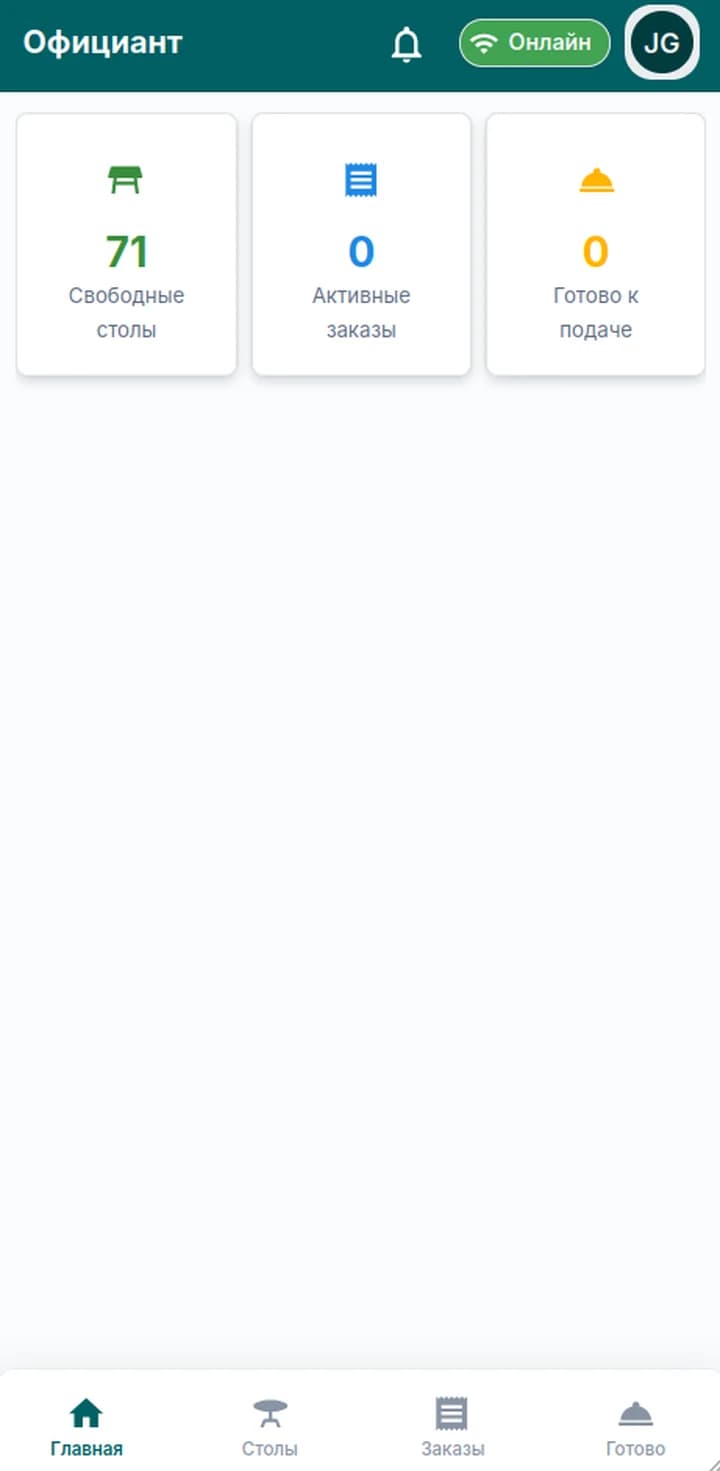
free tables
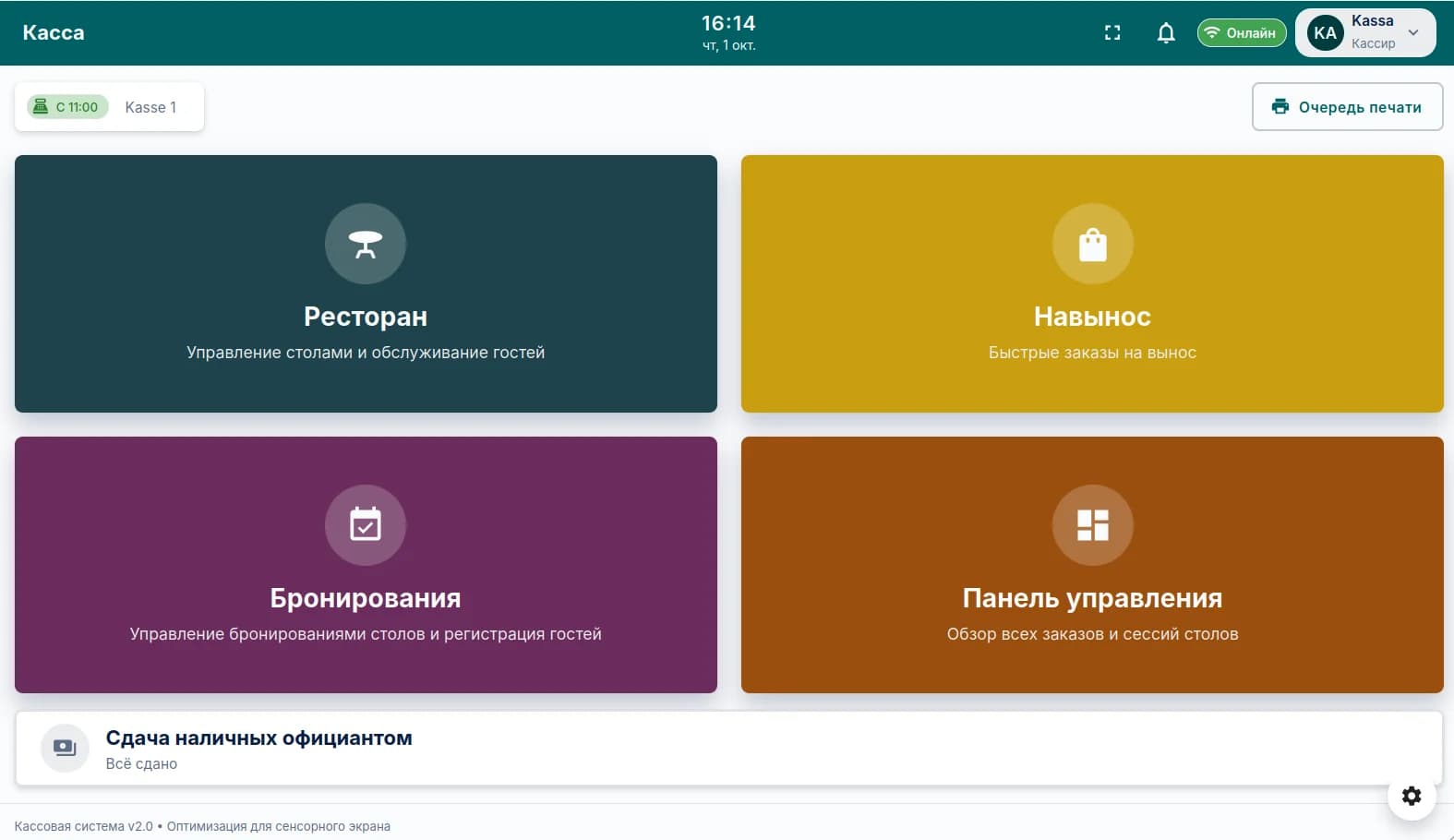
Shift open
Till 1 · since 11:00
In use
The POS and the waiter app
The touchscreen POS runs the floor, takeaway and reservations. Waiters work from their phone.
POS
Restaurant, takeaway, reservations and the dashboard — straight from the home screen.
Waiter app
Free tables, active orders and dishes ready to serve — in the waiter's pocket.
Modules
POS
Orders, payment and receipt printing on a touchscreen.
- Cash with change, tips and split bill
- Takeaway and pickup orders
- Receipt and kitchen ticket printing
Floor plan
The dining room in the POS looks the way it really is.
- Areas and tables in the floor plan editor
- Active tables with total and time
- See which tables are free
Kitchen display
The kitchen sees orders on a screen, not on paper slips.
- Orders reach the kitchen as soon as they're sent
- Modifiers stay with the item
- Different stations for different printers
Waiter app
Orders are taken at the table on a phone.
- Android app
- Orders go straight to the kitchen
- Payment at the table
Menu and modifiers
Dishes, categories and add-ons are managed in the back office.
- Modifiers like “no onions”
- Changes show up on the POS right away
- Today's dish availability
Ingredients
Ingredient tracking and dish cost.
- Ingredients by category
- Cost against revenue
- Profit for every dish
Reservations
Reservations with table, time and party size.
- Reservations in the same POS
- Table assigned to the reservation
- Reservation statuses
Staff
Employees, permissions, shifts and working hours.
- Roles and access rights
- Shift schedule
- Timesheets
Reports
Revenue, orders, tips and profit — no accountant needed on hand.
- Daily and monthly dashboard
- Profit and loss
- End-of-day close
Familiar problems — and how KASSIO solves them
Orders are written on paper slips, and half of them never reach the kitchen.
The order is taken at the table, stays with the table and goes straight to the kitchen.
Only the waiter knows who has which table and what is still open.
The floor plan shows every active table with its total and time.
Special requests get lost between the dining room and the kitchen.
Modifiers belong to the item — “no onions” stays “no onions”.
Reservations are in a notebook nobody checks when the phone rings.
Reservations with table, time and party size — in the same POS.
The menu changes, and the POS lags behind.
Dishes and modifiers are managed in the back office — the POS picks up changes right away.
Only the accountant can tell you whether a dish makes money.
The profit report puts cost against revenue — right in front of you.
A day with KASSIO
- 09:00
Opening the shift
The manager opens the shift. The POS, kitchen and waiters' phones are ready to go.
- 13:00
Lunch rush
Waiters take orders at the tables, the kitchen sees them on screen, and the floor plan shows how full the room is.
- 15:30
Split bill
A party of four pays separately — the bill is split and everyone gets their own receipt.
- 19:00
Evening reservations
Tables for reservations are held in advance, and guests aren't seated at someone else's table.
- 23:00
End-of-day close
The shift is closed, and the report shows revenue, payment methods and the best-selling dishes.
Solutions for your business type
Product questions
Do I need the waiter app?
No, the POS works without it. The app is useful if orders are taken at the table.
Can the bill be split?
Yes, the bill is split between guests and each pays their share.
Does KASSIO Gastro work for takeaway orders?
Yes, takeaway and pickup orders are supported.
Tell us about your business
Message us — we'll show you KASSIO using your own setup and give you a price.
The consultation is free. We'll discuss cost and setup in the chat.