KASSIO Retail
POS and inventory for a store where every item has a size and a color
From goods receipt to the end-of-day close: KASSIO Retail knows every product variant, its stock level and its margin.
The consultation is free. We'll discuss cost and setup in the chat.


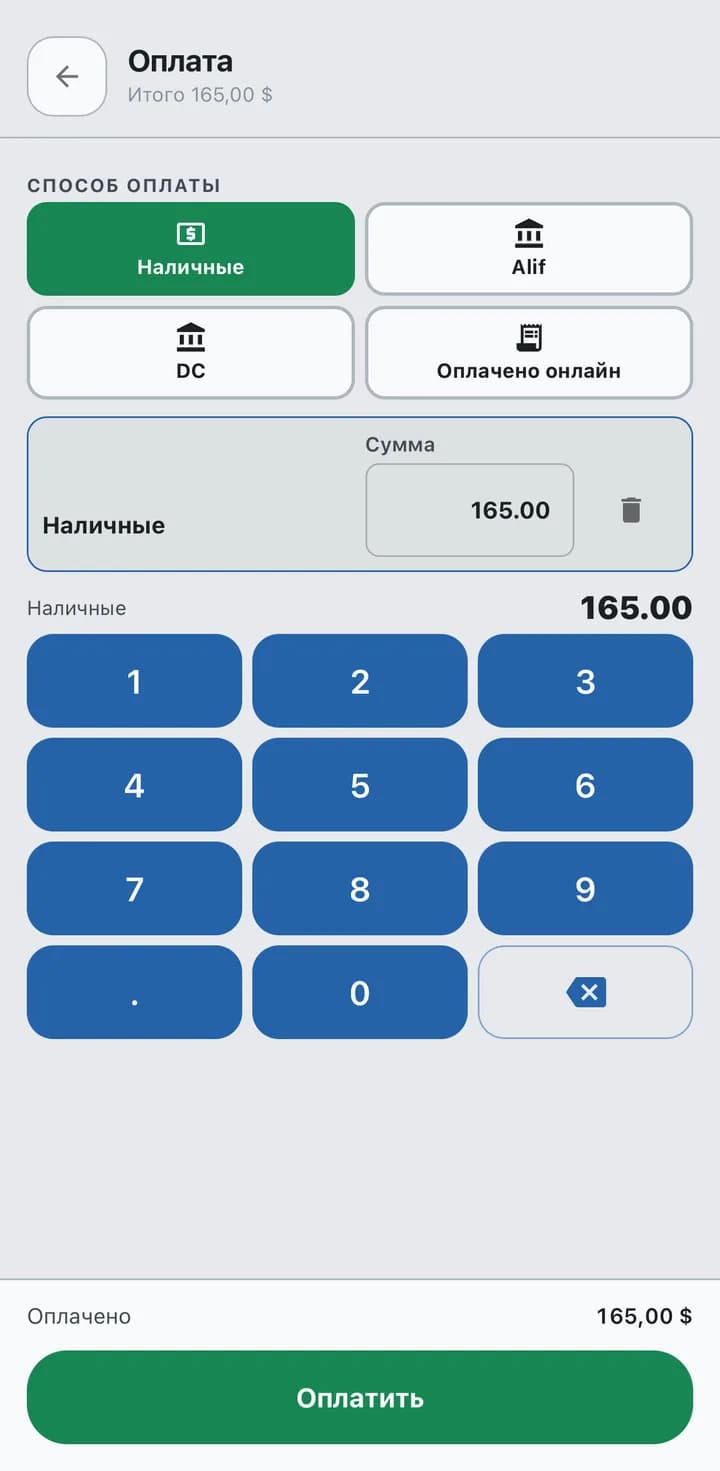
Paid
Cash · Alif · DC
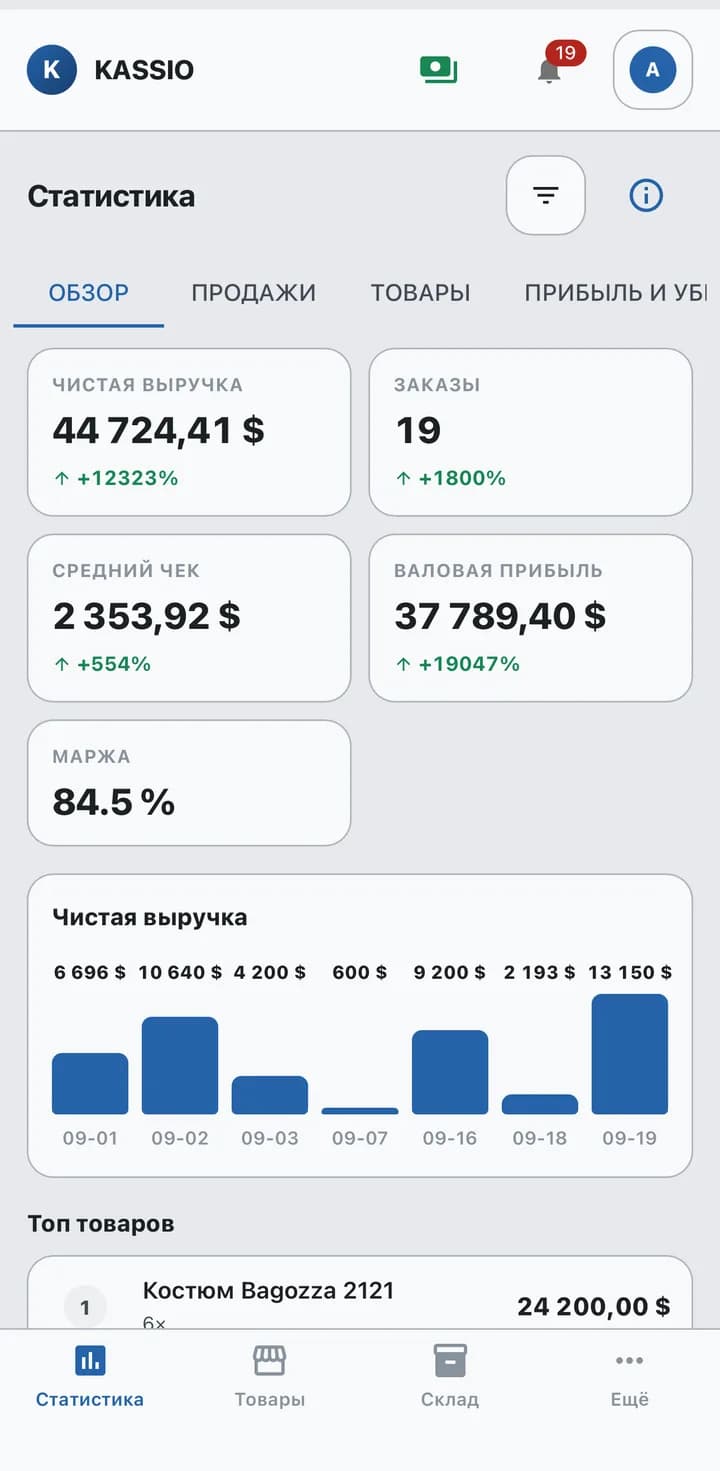
Margin
84.5 %
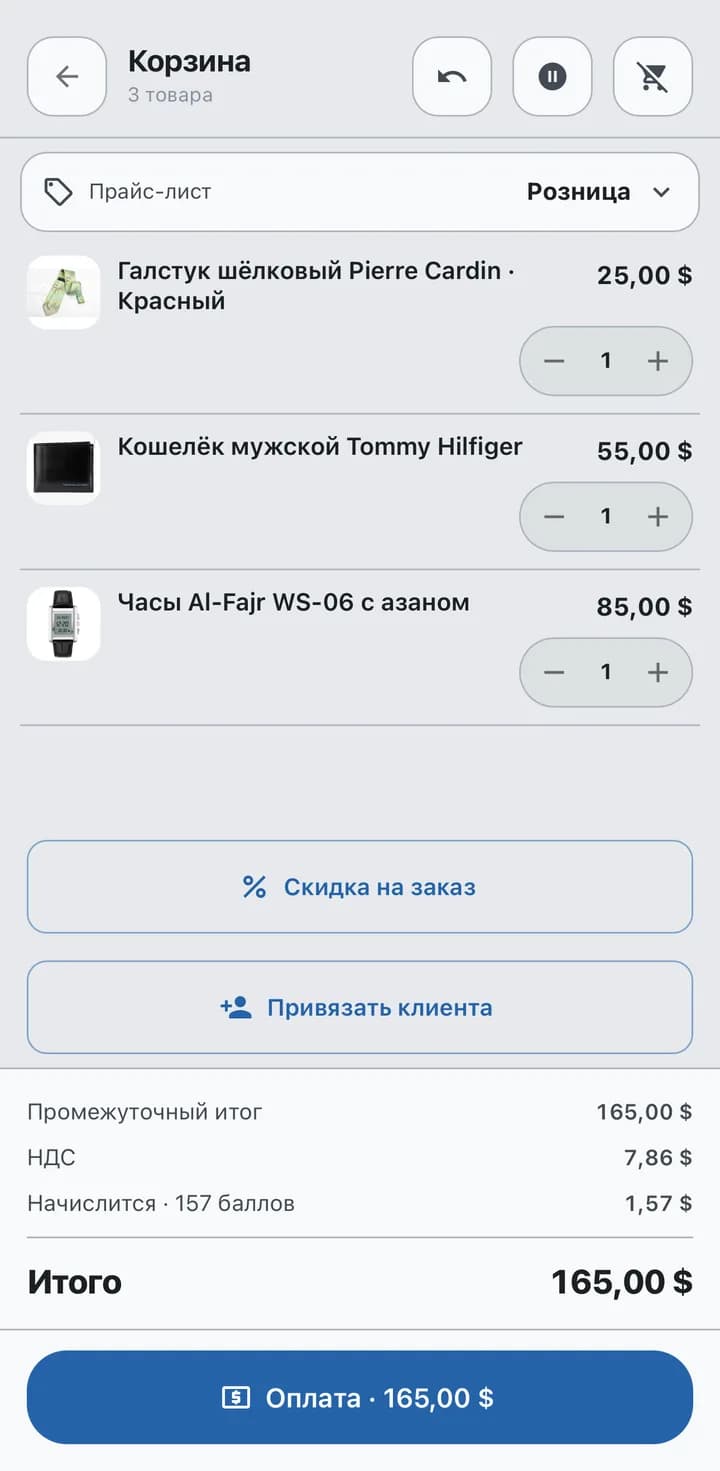
+157
points for the customer
Sale
A sale in three steps
Item, cart, payment — and the receipt is ready.
- 1
Pick the item
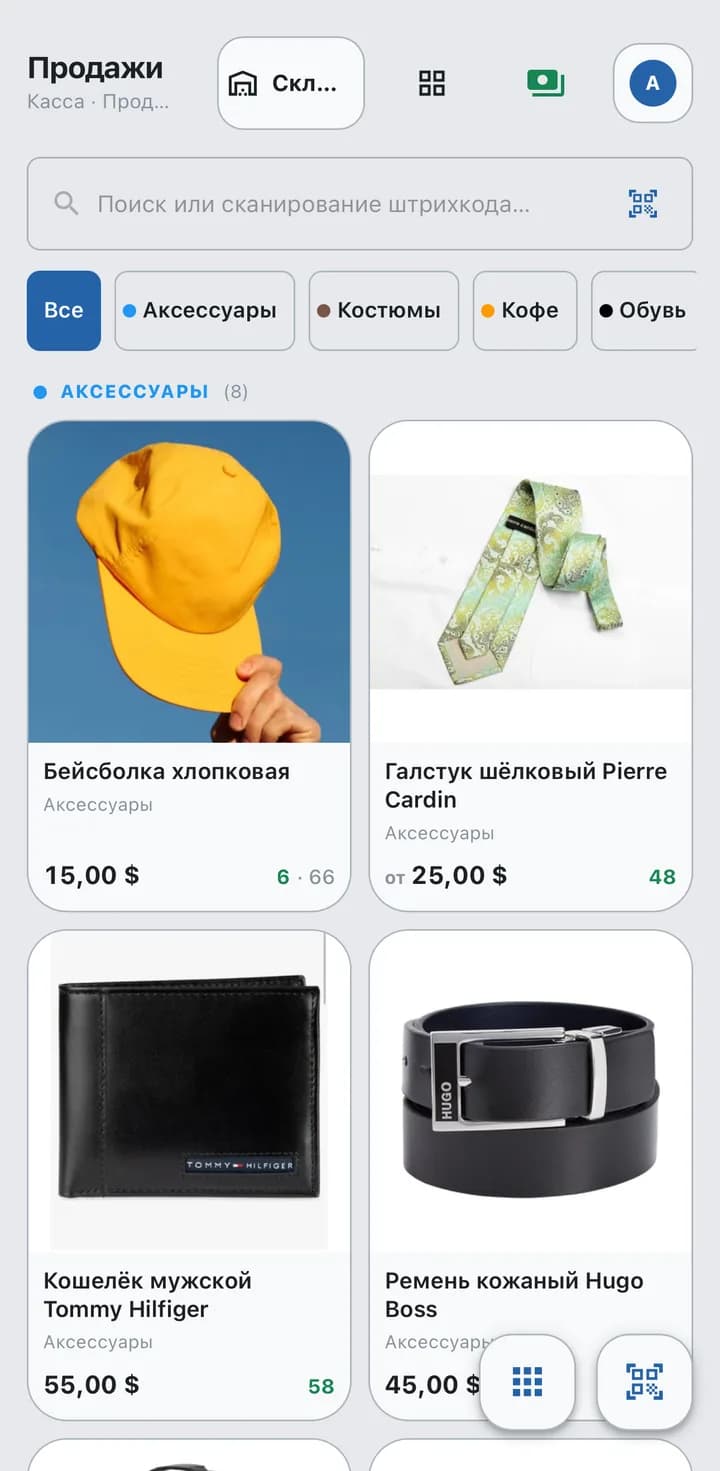
Tap it in the catalogue, scan it, or use the phone camera. Categories and search sit at the top.
- 2
Check the cart
Total, VAT and customer points are worked out at once. Add a discount or the customer right here.
- 3
Take the payment
Cash, Alif, DC or online — you set up the payment methods yourself. Change is calculated for you.
- 4
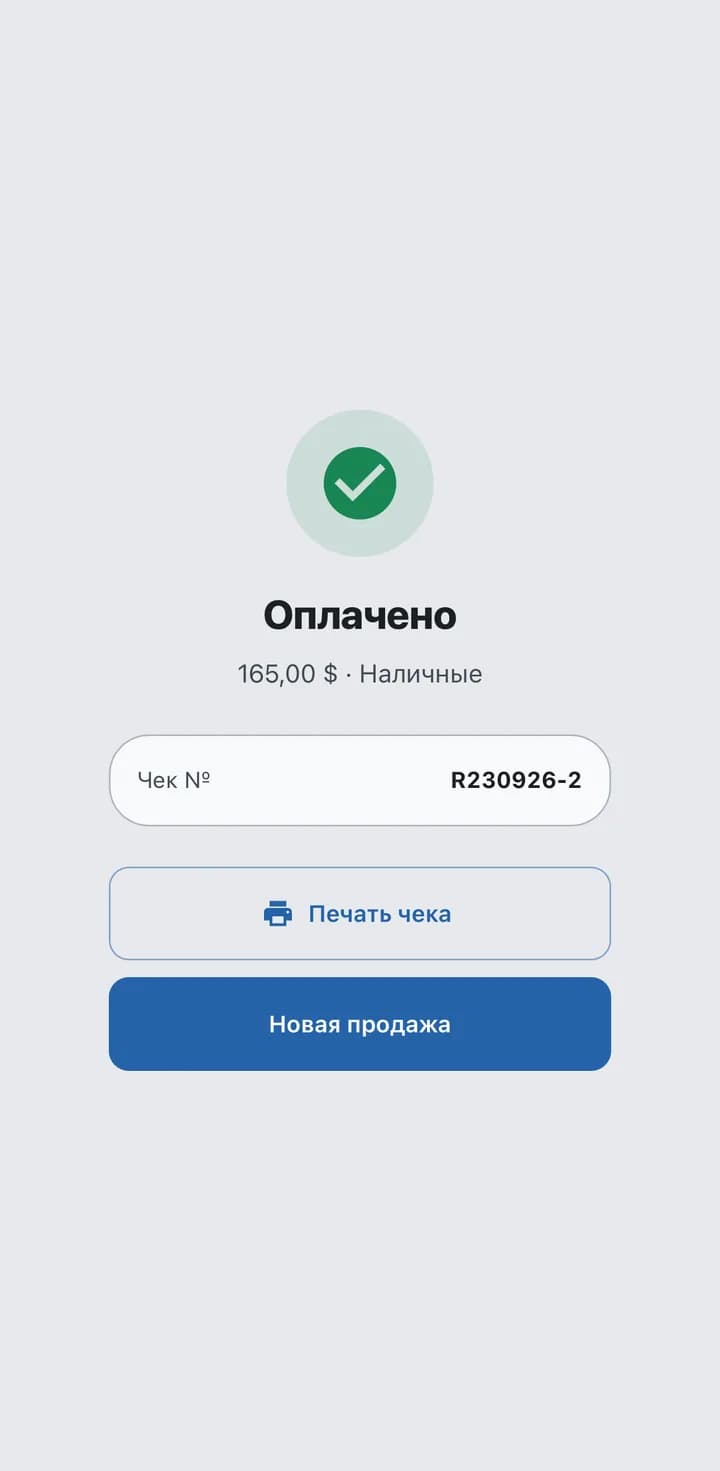
Done
The sale is booked, the receipt can be printed — and the next sale starts right away.
Customer debts
Debts in the till, not in a notebook
Sell on credit with a due date and partial repayment.
- 1
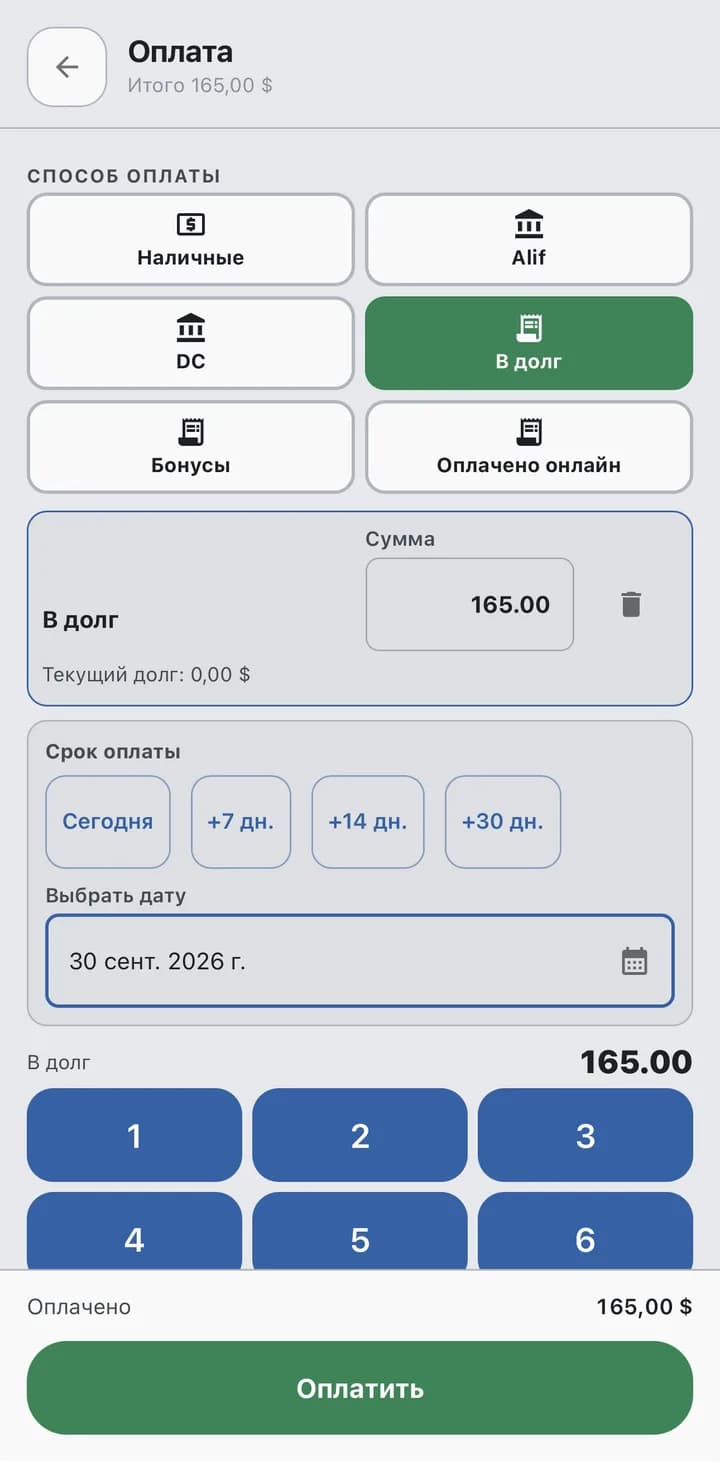
Sell on credit
Choose “On credit” and a due date: today, in a week, or a date of your own.
- 2
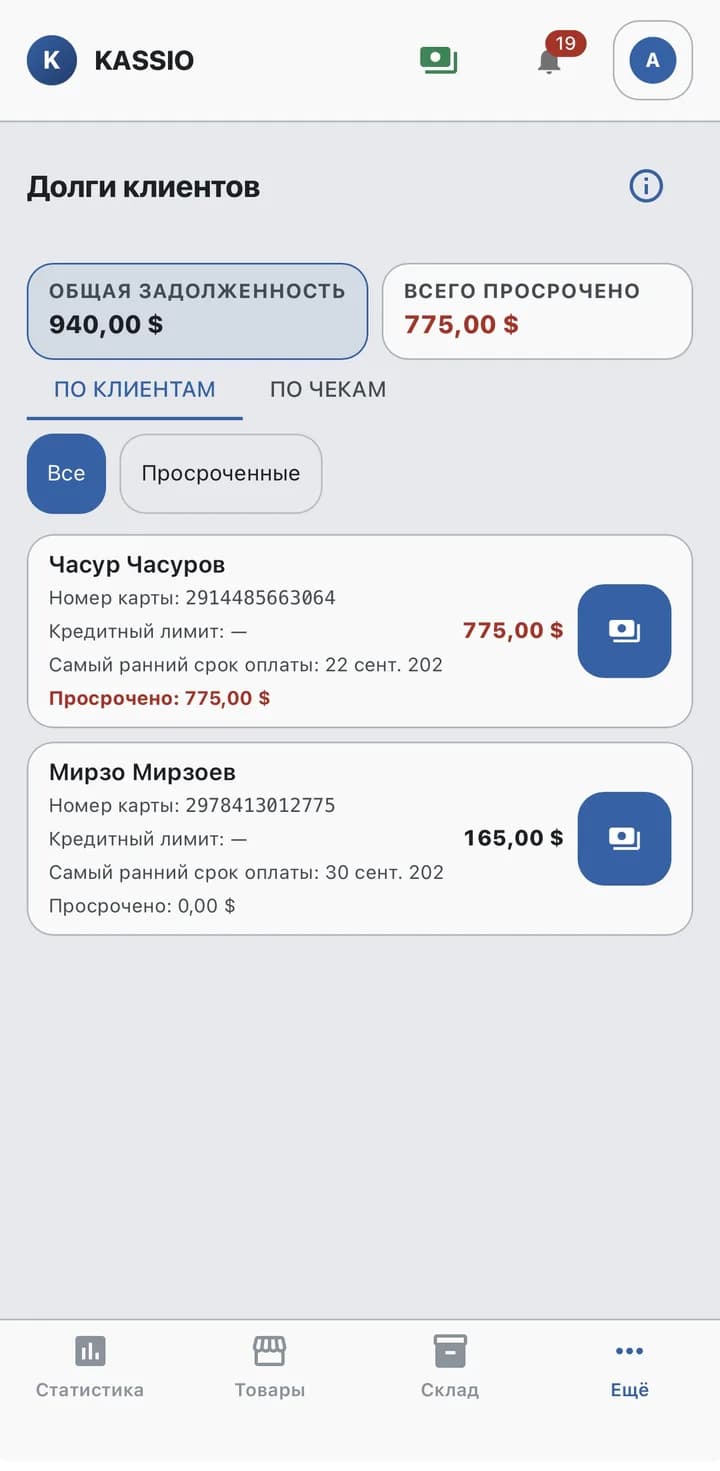
Every debt in one list
Total owed, overdue amounts and each customer's credit limit.
- 3
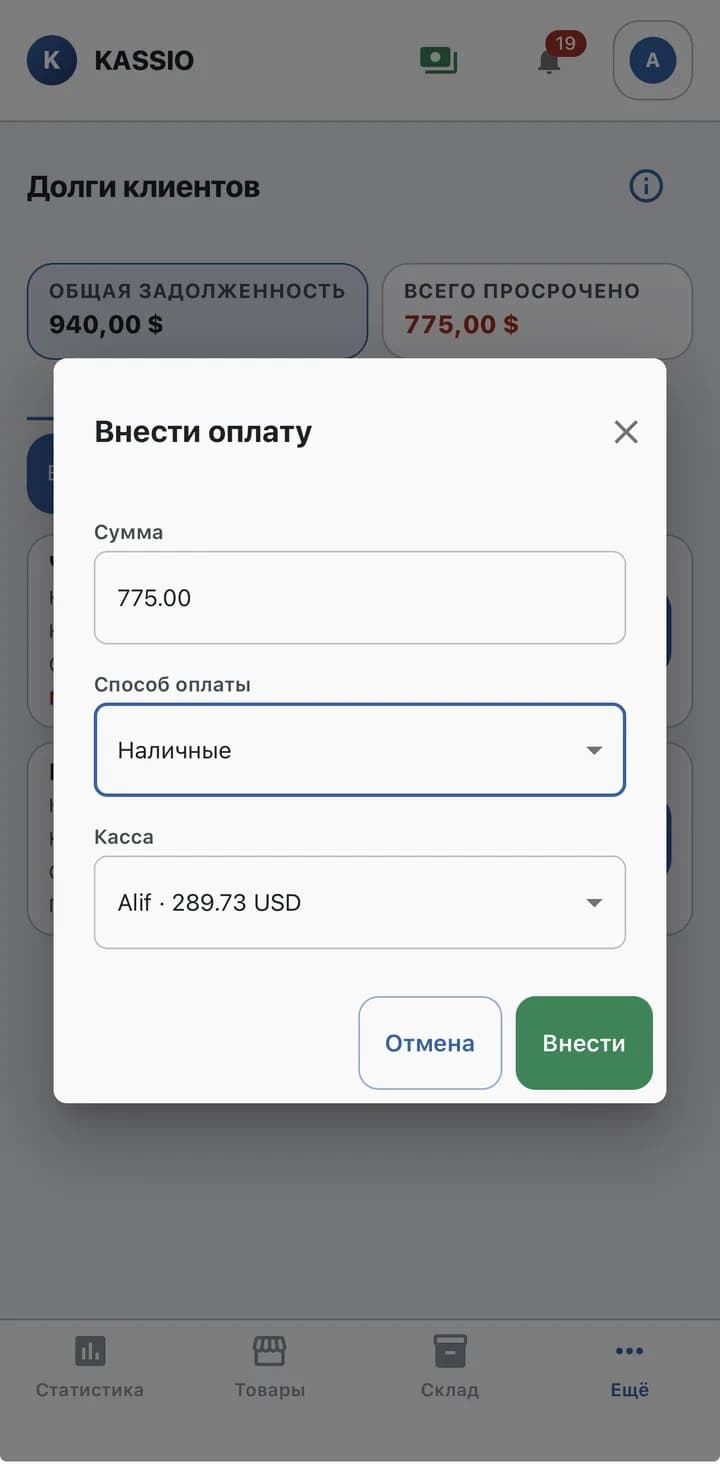
Take a partial payment
The customer pays back part — enter the amount and the remaining debt is recalculated.
Stock
No item runs out unnoticed
A minimum stock level and a hint on what to reorder.
- 1
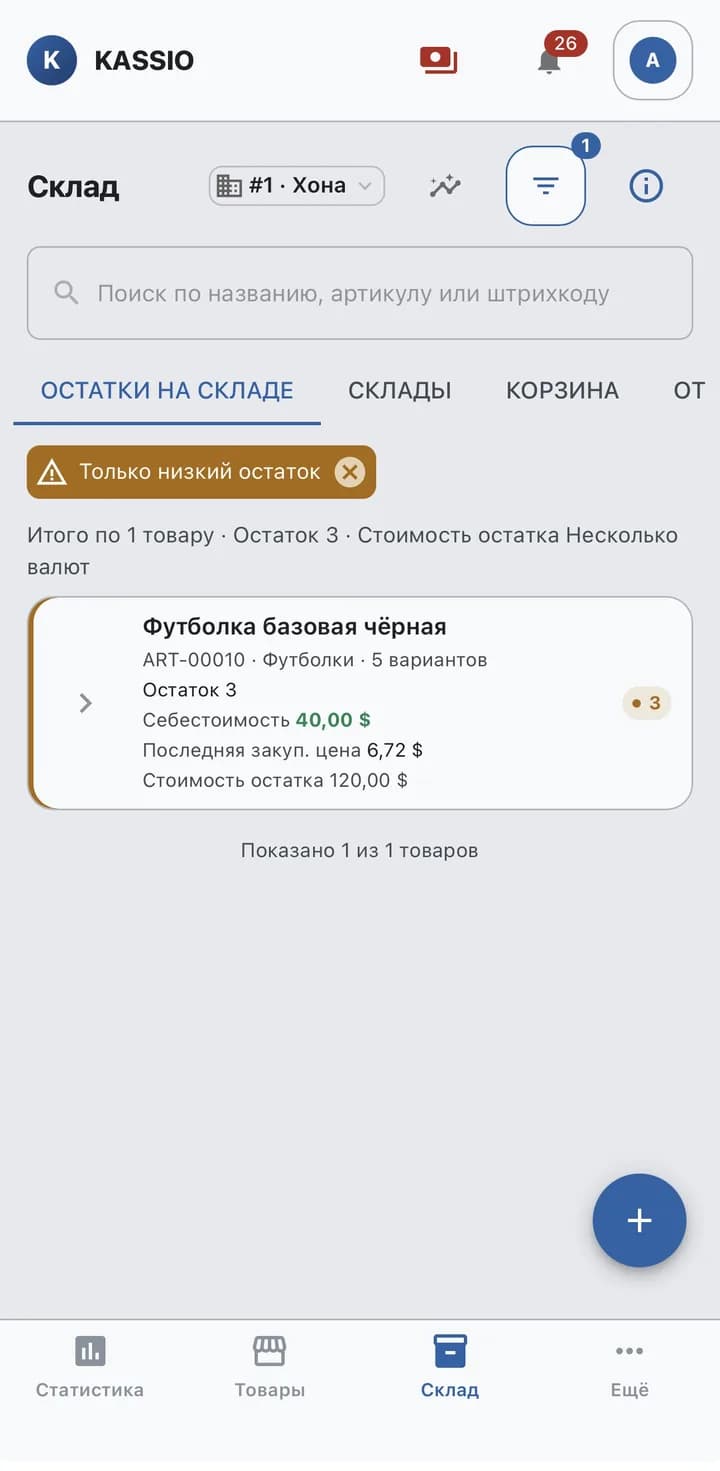
Low stock shows at once
Each item gets a minimum stock level. When stock falls below it, the warehouse shows a warning.
- 2
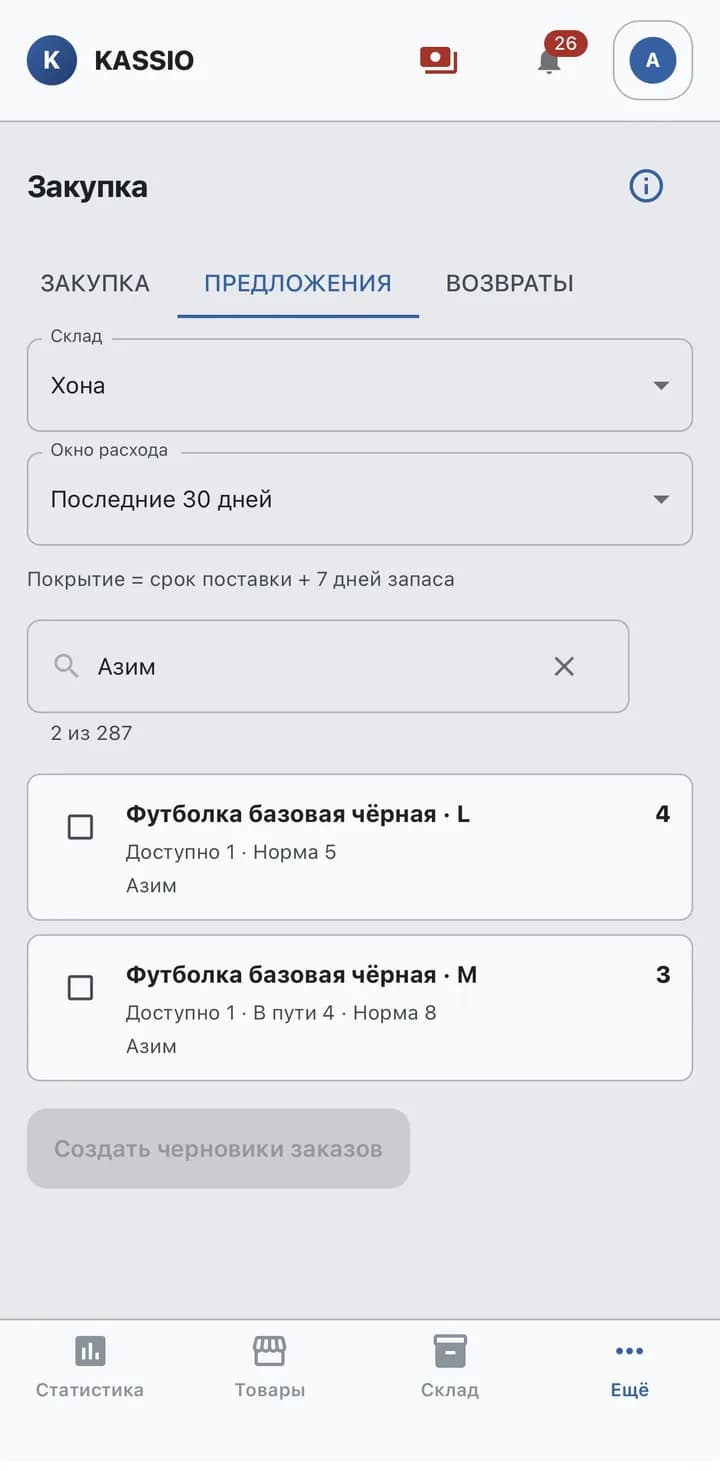
Reorder with a suggestion
KASSIO suggests what to reorder from sales over a chosen period and the delivery time.
Figures
See what you earn on
Revenue, average receipt and margin — per period and per item.
- 1
Sales overview
Net revenue, number of orders, average receipt and margin — on one screen.
- 2
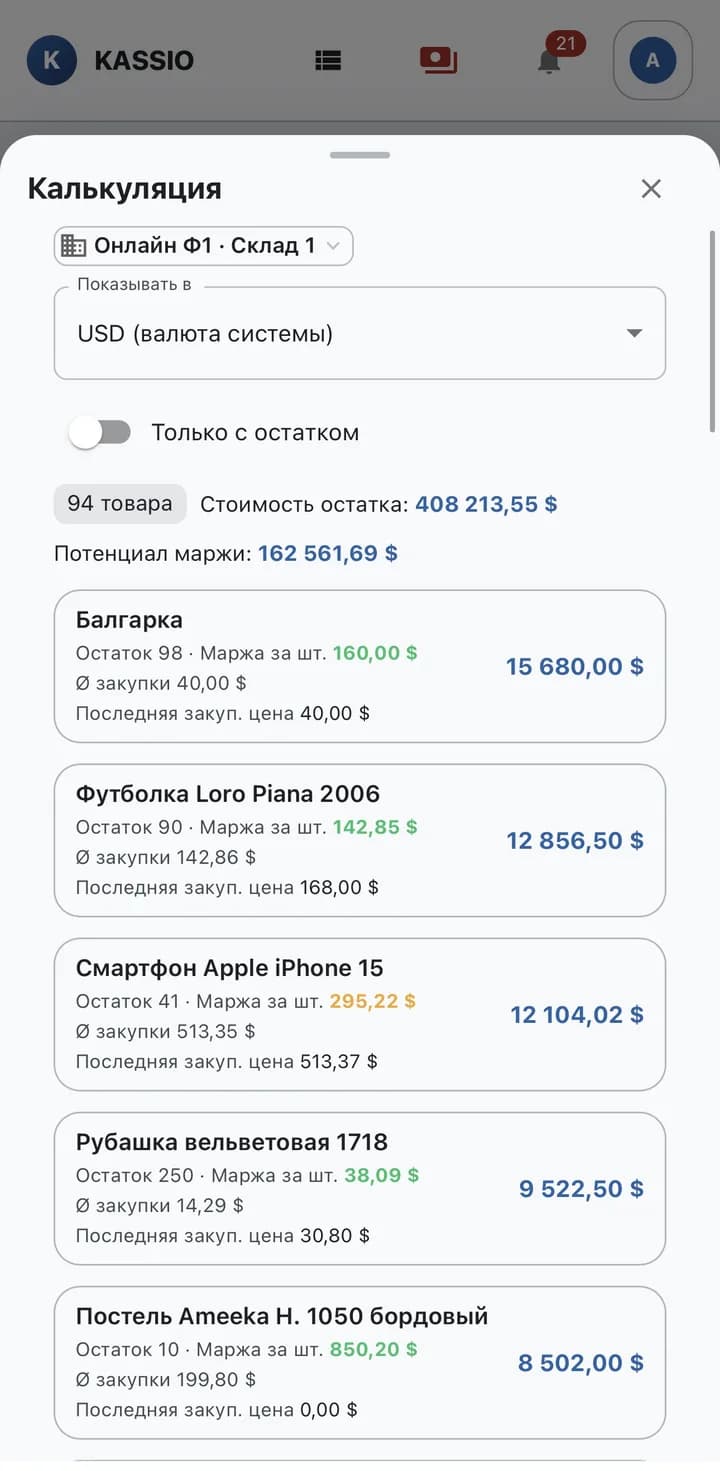
Margin on every item
The costing view shows stock, purchase price and margin per unit for each item.
Modules
POS
Sale, discount and payment — on the POS screen and on a phone.
- Barcode scanning
- Discount as a percentage or a fixed amount
- Cash with change and card payment
Sizes and colors
One product, many variants — instead of a dozen separate items.
- Size range and colors created in one go
- The POS sells a specific variant
- See which sizes are sold out
Labels
No more handwritten price tags.
- Barcode, size and price from the catalog
- Printing by variant
- New prices without manual work
Stock and stocktake
One stock count for sales, returns, goods receipts and recounts.
- Stock level for every variant
- Partial stocktake by section
- Expected, counted and difference side by side
Purchasing
A product's path from supplier order to shelf.
- Goods receipt against the delivery note
- Supplier invoices and payments
- Reorder suggestions and returns to supplier
Returns
Returns by receipt, without digging through old paperwork.
- Find the receipt by number or date
- Refund amount taken from the receipt, discount included
- Defective items don't go back on sale
Reports
Revenue, margin and what it's time to reorder.
- End-of-day close (Z report)
- Gross profit by product and department
- Best sellers and slow-moving stock
Excel import
The whole catalog is imported at once, not one item at a time.
- Products from an Excel spreadsheet
- Quick start with your existing range
- Step-by-step guide in Help
Familiar problems — and how KASSIO solves them
A blazer was sold — and afterwards nobody knows which size and color went.
The POS sells a variant: size and color are on the receipt, and stock is deducted from exactly that variant.
A separate item for every size and color makes the list unreadable.
One product, many variants: the size range and colors are created in one go.
For a return, staff hunt for the old receipt and guess the price.
The receipt is found by number or date, and the refund comes from the receipt, not from memory.
The delivery note gets filed, and booking it in gets put off.
Goods receipt against the delivery note: stock goes up right away — on the POS too.
One disputed corner means recounting the whole store.
Partial stocktake by section: you count only what you need to.
Reorders follow what catches the eye, not what actually sells.
Best sellers and slow-moving stock side by side — with a breakdown by size.
A day with KASSIO
- 09:30
Goods receipt
A delivery arrives. The goods are received against the delivery note, and stock goes up right away.
- 10:00
Labels
Labels with barcode, size and price are printed for the new variants.
- 14:00
Discounted sale
A customer picks a blazer in size M. The cashier scans the barcode, applies a discount and prints the receipt.
- 17:00
Return
A customer returns an item in the wrong size. The receipt is found in seconds and the item goes back into stock.
- 21:00
End-of-day close
The Z report reconciles revenue and payment methods, and the margin report shows what it's time to reorder.
Solutions for your business type
Product questions
Can I import products from Excel?
Yes, the catalog is imported from an Excel spreadsheet. There's a step-by-step guide in the help section.
Does the POS work on a phone?
Yes, sales and returns work both on the POS screen and on a phone.
Is KASSIO Retail only for clothing?
Sizes and colors are its strength, but the POS, inventory and reports work for other stores too. Tell us about your product range.
Tell us about your business
Message us — we'll show you KASSIO using your own setup and give you a price.
The consultation is free. We'll discuss cost and setup in the chat.